A $100 budget is a shopping constraint, not proof that a meter is suitable for your work. Start with the measurements you need and the manufacturer’s instructions. A meter’s appearance or a high voltage printed on the case is not enough to select it safely.
Editorial correction, 4 October 2026: An earlier version claimed six tested meters and included an incorrect accuracy example. We have no records supporting those tests. This guide now separates documented specifications, illustrative arithmetic and purchasing checks.
Write a measurement list before comparing models
For small electronics projects, list the functions your project requires: DC voltage, resistance, continuity or another documented function. Check the required ranges and resolution, the included leads and access to the manual. Extra functions are valuable only if they serve your work.
This guide does not provide instructions for live household wiring, service panels or mains measurements. Use a qualified electrician for unfamiliar electrical work. Instrument and lead ratings, their condition, correct use and training all matter; a rating does not make every task safe for a beginner.
One documented example: Klein MM400
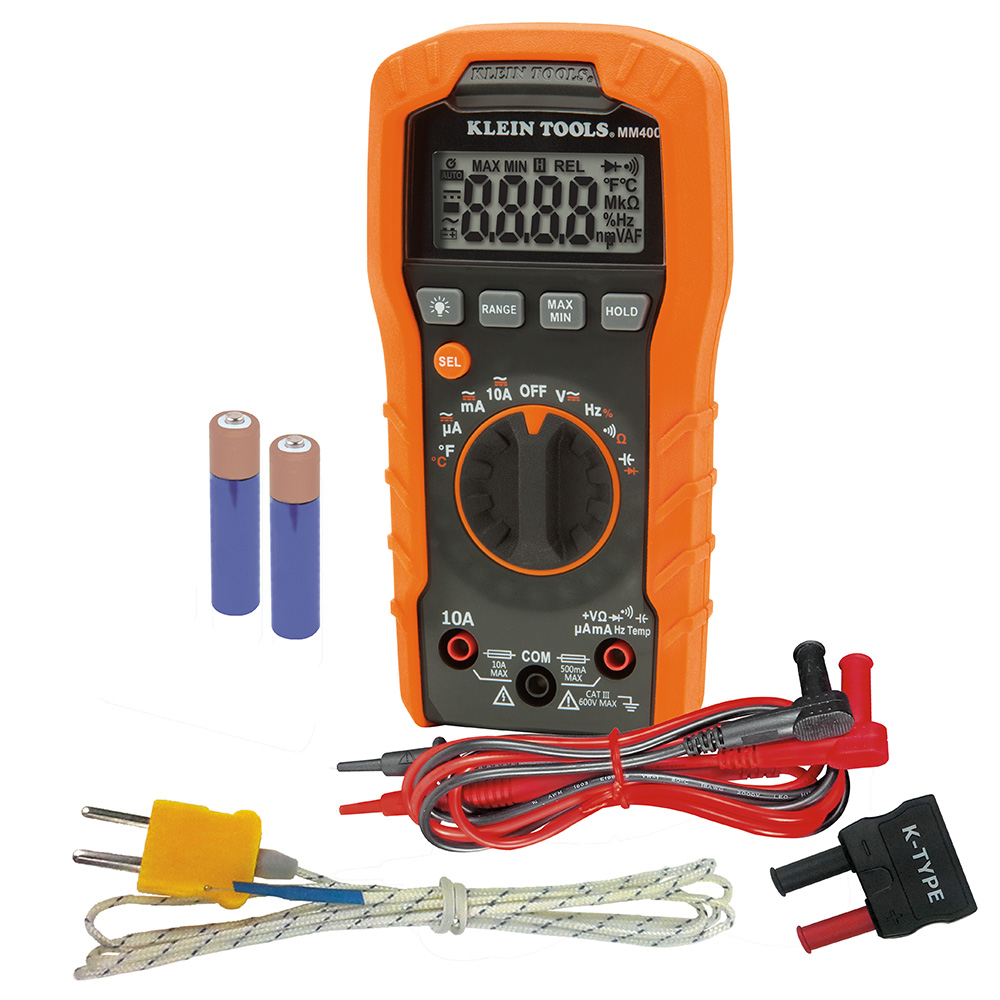
The Klein MM400 manufacturer page describes an auto-ranging meter and links its specifications and instructions. The photo on this page is Klein’s actual MM400 photograph, including accessories. It does not show a model we tested.
Use the manufacturer’s documentation to check each required measurement. Do not substitute a similar-looking Klein model or assume a marketplace bundle contains every accessory in a stock photograph. No current price under $100 is guaranteed here, and no verified Amazon offer for this model is linked in this revision.
Read accuracy specifications carefully
A specification written as a percentage of the reading plus counts depends on the display resolution and selected range. Counts are not automatically hundredths of a volt.
Illustrative example, not an MM400 specification: At a displayed 100.0 V, one last digit is 0.1 V. If a hypothetical meter specifies ±(0.5% of reading + 2 counts) on that range, the terms are 0.5 V and 0.2 V, giving ±0.7 V under the specified conditions. Use the actual manual for the measurement mode, range and conditions you need. This calculation is not a procedure for taking a voltage reading.
Compare the complete purchase
| Check | What to confirm |
|---|---|
| Exact model | Model on the listing, instrument and manual agree |
| Functions and ranges | Your planned measurements are documented |
| Leads and accessories | Included items match your intended use and the manual |
| Condition and support | Genuine product, seller, warranty and returns are clear |
| Delivered total | Price plus shipping, tax and required accessories fits your budget |
Set aside listings with contradictory specifications or unclear package contents. A cheaper headline price is not useful if the item is a different model or essential accessories are missing.
Keep the shopping decision narrow
If your project only needs a few functions, compare those first. For a broader home toolkit, see our beginner woodworking tool plan; its drill recommendations are unrelated to meter safety or suitability.
AI assisted this revision. Manufacturer documentation and product imagery establish the example’s identity. We have not measured its accuracy, compared it against six competitors or verified a current retailer offer.