Soldering Iron Temperature Settings: A Beginner’s Cheat Sheet
Soldering can feel like a dark art when you’re starting out. One moment you’re making beautiful, shiny joints, the next you’re struggling with dull, lumpy connections or, worse, lifting pads right off the PCB. Often, the culprit isn’t your technique as much as it is a fundamental setting you might be overlooking: the temperature of your soldering iron.
Understanding and correctly setting your soldering iron’s temperature is arguably the most crucial skill for achieving reliable, high-quality solder joints. Too cold, and your solder won’t flow properly. Too hot, and you risk damaging components, the PCB, or even your soldering iron tip. This guide is your cheat sheet to demystifying soldering iron temperature settings, ensuring your projects are built to last.
Why Temperature Matters: The Goldilocks Zone of Soldering
Think of soldering like cooking. You wouldn’t try to sear a steak on a cold pan, nor would you leave it on a burner set to “incinerate.” Soldering requires its own “Goldilocks Zone” – not too hot, not too cold, but just right.
The Dangers of “Too Cold”
When your soldering iron is set too low, it simply doesn’t have enough thermal energy to quickly bring both the component lead and the PCB pad up to the melting point of the solder. This leads to several common and frustrating issues:
- Poor Wetting: Solder won’t “flow” or spread out smoothly over the metal surfaces. Instead, it beads up or forms a cold, dull blob. Proper wetting is essential for a strong electrical and mechanical bond.
- Cold Joints: These are characterized by a dull, grainy, or frosty appearance. Cold joints have poor electrical conductivity and are mechanically weak, making them prone to intermittent failures or complete disconnections down the line. They are a common cause of troubleshooting headaches in finished projects.
- Slow Melting: You’ll find yourself holding the iron on the joint for an extended period, waiting for the solder to melt. This prolonged heat exposure can still damage heat-sensitive components, even if the temperature isn’t excessively high, simply due to the duration.
- Flux Burn-off Before Action: The flux, designed to clean the metal surfaces and aid solder flow, activates at a certain temperature. If the iron is too cold, the flux might activate and then burn off before the solder even melts and flows, leaving you with oxidized surfaces and poor joints.
The Perils of “Too Hot”
While it might seem intuitive to crank up the heat to avoid cold joints, an excessively hot iron presents its own set of significant problems:
- Component Damage: Many electronic components, especially semiconductors like microcontrollers, LEDs, transistors, and sensitive integrated circuits, have specific maximum temperature ratings and heat exposure limits. Too much heat can permanently alter their electrical characteristics, reduce their lifespan, or destroy them outright.
- Lifted Pads and Damaged Traces: PCBs are made of layers of copper traces bonded to a substrate (usually fiberglass). Excessive heat can cause the adhesive binding the copper to the substrate to fail, leading to “lifted pads” (where the copper pad detaches from the board) or even delamination of the PCB layers. Repairing lifted pads is notoriously difficult and often renders the board unusable for beginners.
- Rapid Flux Burn-off: At very high temperatures, the flux burns off almost instantly. This means its protective, cleaning action is lost before the solder has a chance to properly flow. The result is often oxidized surfaces, poor wetting, and dull, brittle joints, ironically similar in appearance to cold joints, but caused by too much heat.
- Tip Degradation: Your soldering iron tip is coated to prevent solder from sticking to everything. Excessive temperatures accelerate the oxidation and degradation of this coating, leading to pitting, blackening, and poor heat transfer. This shortens the lifespan of your expensive tips.
- Solder Bridging: While not always a direct result of temperature, an overly hot iron can make it harder to control the molten solder, increasing the likelihood of unintentional solder bridges between adjacent pads or pins, especially with fine-pitch components.
The goal is to provide just enough heat, quickly, to melt the solder, activate the flux, and form a strong joint, then remove the iron.
The Soldering Iron Temperature Cheat Sheet
This table provides a quick reference for common soldering scenarios. Remember, these are starting points – always observe your solder’s behavior and adjust as needed.
| Solder Type/Component | Recommended Tip Type | Temperature Range | Notes |
|---|---|---|---|
| Leaded Solder (60/40, 63/37) | Any (appropriate for task) | 315-345°C / 600-650°F | Standard starting point. |
| Lead-Free Solder (SAC305) | Any (appropriate for task) | 370-400°C / 700-750°F | Higher melting point, requires more heat. |
| Through-Hole Resistors/Headers | Medium Chisel/Conical | 340-360°C / 645-680°F | Good all-rounder. |
| SMD 0805+ (Resistors, Caps, Diodes) | Small Chisel/Hoof | 330-350°C / 625-660°F | Focus on quickly heating pad & component. |
| SMD 0402 (Small Resistors, Caps) | Fine Chisel/Conical | 320-340°C / 600-645°F | Fast in/out is critical to prevent damage. |
| Heat-Sensitive Components (LEDs, MOSFETs, Thermistors, ICs) | Fine Chisel/Conical | 320-340°C / 600-645°F | Prioritize speed; use lower temp if possible. |
| Large Ground Planes/Pads | Large Chisel/Hoof | 380-420°C / 715-790°F | Higher initial temp to overcome thermal mass. |
Let’s break down each entry in more detail.
Leaded Solder (60/40, 63/37)
- Temperature Range: 315-345°C (600-650°F)
- Why: Leaded solders (like the common 60% Tin, 40% Lead or 63% Tin, 37% Lead eutectic alloy) have a lower melting point compared to lead-free alternatives. The slightly higher temperature provides enough thermal energy for quick melting and good flow without excessively burning off the flux or damaging most components. This is your go-to range for general electronics work with leaded solder. For 63/37 eutectic solder, which melts at a single point (183°C), you might find the lower end of this range perfectly adequate.
Lead-Free Solder (SAC305)
- Temperature Range: 370-400°C (700-750°F)
- Why: Lead-free solders (e.g., SAC305 – 96.5% Tin, 3% Silver, 0.5% Copper) have a significantly higher melting point, typically around 217-227°C, compared to leaded solder’s 183°C. To achieve good flow and prevent cold joints, you need to operate at a higher temperature. The challenge here is balancing the need for higher heat with the increased risk of component or PCB damage. Good quality flux and quick soldering times become even more critical.
Through-Hole Resistors, Headers, and General Components
- Recommended Tip: Medium Chisel or Conical
- Temperature Range: 340-360°C (645-680°F)
- Why: These components typically have larger leads and pads, offering a decent thermal mass. A medium chisel tip provides good contact area for efficient heat transfer. This temperature range ensures rapid melting and good flow for both leaded and many lead-free applications without excessive risk. It’s a great all-purpose starting point for general PCB assembly.
SMD 0805+ (Resistors, Capacitors, Diodes)
- Recommended Tip: Small Chisel or Hoof
- Temperature Range: 330-350°C (625-660°F)
- Why: These are common surface-mount components, slightly larger than their smaller counterparts. A smaller chisel or hoof tip allows for precise heat application to the pad and component without accidentally heating adjacent components. The slightly lower temperature compared to through-hole accounts for their smaller thermal mass and increased sensitivity, while still providing enough heat for quick, clean joints. The key is to get in, apply heat and solder, and get out quickly.
SMD 0402 (Small Resistors, Capacitors)
- Recommended Tip: Fine Chisel or Conical
- Temperature Range: 320-340°C (600-645°F)
- Why: These are tiny components, extremely sensitive to heat. A very fine tip is essential for precision. The lower end of the temperature range is used to minimize heat exposure, but the speed of the operation is paramount. You need to apply heat and solder in 1-2 seconds maximum. Any longer, and you risk damaging the component or lifting the minuscule pad. This technique requires practice and a steady hand.
Heat-Sensitive Components (LEDs, MOSFETs, Thermistors, ICs)
- Recommended Tip: Fine Chisel or Conical (appropriate for lead size)
- Temperature Range: 320-340°C (600-645°F)
- Why: Components like LEDs can lose brightness or change color, MOSFETs can be permanently damaged, and thermistors can lose calibration with excessive heat. While a lower temperature seems ideal, the primary strategy here is speed. Use the lowest temperature that allows the solder to flow quickly and effectively (typically within the leaded solder range). Get in, apply solder, and get out within 1-3 seconds. Consider using thermal tweezers for SMD versions to apply even heat to both pads simultaneously.
Large Ground Planes and Heat Sinks
- Recommended Tip: Large Chisel or Hoof
- Temperature Range: 380-420°C (715-790°F) (Adjust as needed)
- Why: Large ground planes or pads connected to internal copper layers act as significant “heat sinks.” They wick away heat from your joint very quickly, making it difficult to reach the solder’s melting point. To compensate for this rapid heat loss, you need to start with a higher iron temperature. A large chisel or hoof tip maximizes the contact area, further improving heat transfer. Despite the higher temperature, the goal is still to make the joint quickly, as the thermal mass will absorb a lot of that energy. If you’re struggling, preheating the board can also help.
Understanding Thermal Mass
Thermal mass is a critical concept in soldering. It refers to an object’s ability to absorb and store heat. A small component lead and a tiny pad have low thermal mass, meaning they heat up quickly. A large ground plane, a thick component lead (like from a power connector), or a component with an internal heat sink has high thermal mass.
When you touch your soldering iron to a high thermal mass area, heat is rapidly drawn away from the tip and into the board/component. If your iron isn’t hot enough, or your tip is too small, it can’t supply heat fast enough to overcome this “heat sink effect,” leading to cold joints even if your iron is technically set to a “correct” temperature.
For high thermal mass joints, you need:
- A larger tip: To maximize the contact area and heat transfer.
- A slightly higher temperature setting: To provide a greater thermal gradient and push heat into the joint more quickly.
- An iron with good thermal recovery: A quality soldering station can quickly recover its temperature after contact with a cold joint, ensuring consistent heat supply.
When Temperature is the Wrong Dial to Turn
While temperature is crucial, it’s not the only factor. If you’re struggling, resist the urge to just keep cranking up the heat. Often, the problem lies elsewhere:
- Wrong Tip Choice: Using a tiny pencil tip for a large ground plane will never work well, no matter the temperature. Conversely, a huge chisel tip on a fine-pitch IC will cause bridges. Matching the tip to the job is paramount.
- Dirty/Oxidized Tip: An oxidized (blackened) tip cannot transfer heat effectively. It’s like trying to cook with a dirty pan – it just doesn’t work. Always keep your tip clean and well-tinned.
- Lack of Flux: Flux is your best friend. It cleans surfaces and aids solder flow. If your solder isn’t flowing, try adding a tiny bit of liquid flux or using solder with a fresh flux core.
- Poor Technique: Are you heating both the pad and the component lead simultaneously? Are you feeding solder into the joint, not onto the tip? Are you removing the iron before the solder? Good technique is fundamental.
- Old/Bad Solder: Solder can go bad, especially if the flux core degrades. Ensure you’re using fresh, good-quality solder.
Tinning the Tip: The First Rule of Soldering
Tinning your soldering iron tip means coating its working surface with a thin layer of fresh solder. This is not optional; it’s fundamental for several reasons:
- Efficient Heat Transfer: A tinned tip ensures excellent thermal contact between the iron and the joint. Bare, oxidized metal is a poor heat conductor.
- Prevents Oxidation: The layer of solder protects the tip’s plating from oxidizing, which prolongs tip life and maintains its heat transfer capabilities.
- Aids Solder Flow: The molten solder on the tip helps to “wet” the joint quickly, drawing fresh solder into the connection.
How to tin:
- Always tin a new tip before its first use.
- After cleaning your tip on a brass sponge or damp cellulose sponge, immediately melt a small amount of fresh solder onto it.
- Before storing your iron, always leave a blob of solder on the tip (this is called “wetting” or “tinning for storage”).
Brand-Specific Settings: Hakko, Pinecil, Weller
While the temperatures provided in this guide are universal, how you set them varies slightly by iron. Modern soldering stations generally have digital displays for precise temperature control.
- Hakko (e.g., FX-888D): These are workhorse irons known for their reliability. The digital display makes setting straightforward. You’ll simply dial in the desired Celsius or Fahrenheit temperature. Hakko tips are known for their quality and excellent thermal recovery.
- Pinecil: A popular, portable, and affordable open-source iron. It offers precise digital temperature control and is highly configurable through its firmware. You’ll set the temperature directly on its screen. Pinecil’s fast heat-up and USB-C power make it a favorite for hobbyists.
- Weller (e.g., WSD81, WE1010NA): Weller stations are also industry standards, known for their robust design. Like Hakko, they feature digital displays for easy temperature adjustment. Weller tips are also high quality, often with specific features for different applications.
General Advice for All Brands:
- Consult your manual: Always refer to your specific iron’s manual for detailed instructions on temperature setting and calibration.
- Calibration: If your iron has a calibration feature, use a thermometer designed for soldering irons (like a Hakko FG-100) to ensure the displayed temperature accurately reflects the tip’s actual temperature. This is especially important if you’re experiencing inconsistent results.
- Start in the middle: If unsure, start in the middle of the recommended range (e.g., 330-340°C for leaded solder) and adjust up or down based on how the solder behaves.
Related Reading
- Best Cordless Soldering Irons for Electronics: 5 Picks for Every Budget
- 8 Raspberry Pi Home Server Projects Worth Building in 2026
- How to Build a Smart Home Without a Hub (Matter Edition)
Frequently Asked Questions (FAQ)
Q1: Can I use one temperature for everything?
A1: While you technically can attempt to use one temperature for everything, it’s highly discouraged if you want reliable, high-quality joints and want to avoid damaging components. Using a single “compromise” temperature might work for some tasks but will be either too cold for lead-free solder/large thermal mass or too hot for sensitive components/fine-pitch work. A good quality soldering station allows for quick temperature adjustments, and learning to make those adjustments is a fundamental skill. If you must pick one, around 350°C (660°F) is a common “general purpose” setting, but be prepared to adjust for specific tasks.
Q2: What’s the best temperature for beginners?
A2: For beginners using standard leaded (60/40 or 63/37) solder on typical through-hole components, a good starting point is 320-340°C (600-645°F). This range provides enough heat for quick, shiny joints without being so hot that you risk immediate damage. Focus on proper technique (clean tip, heat both parts, feed solder to the joint, quick in/out) within this range. As you gain experience, you’ll learn to fine-tune based on the specific project and solder type.
Q3: My solder isn’t melting, should I increase the temperature?
A3: Possibly, but first, check these common issues:
- Is your tip clean and tinned? An oxidized tip won’t transfer heat. Clean and re-tin it immediately.
- Are you making good contact? Ensure the tip is touching both the component lead and the PCB pad simultaneously.
- Is there enough flux? Add a tiny bit of liquid flux or use fresh flux-core solder.
- Is the tip large enough? A small tip on a large pad/component with high thermal mass won’t work. If all these are good, then yes, incrementally increase the temperature by 10-20°C (20-40°F) until the solder flows smoothly.
Q4: How do I know if my iron is at the right temperature?
A4: You’ll know it’s “just right” when:
- Solder melts quickly (within 1-3 seconds) upon contact with the heated joint.
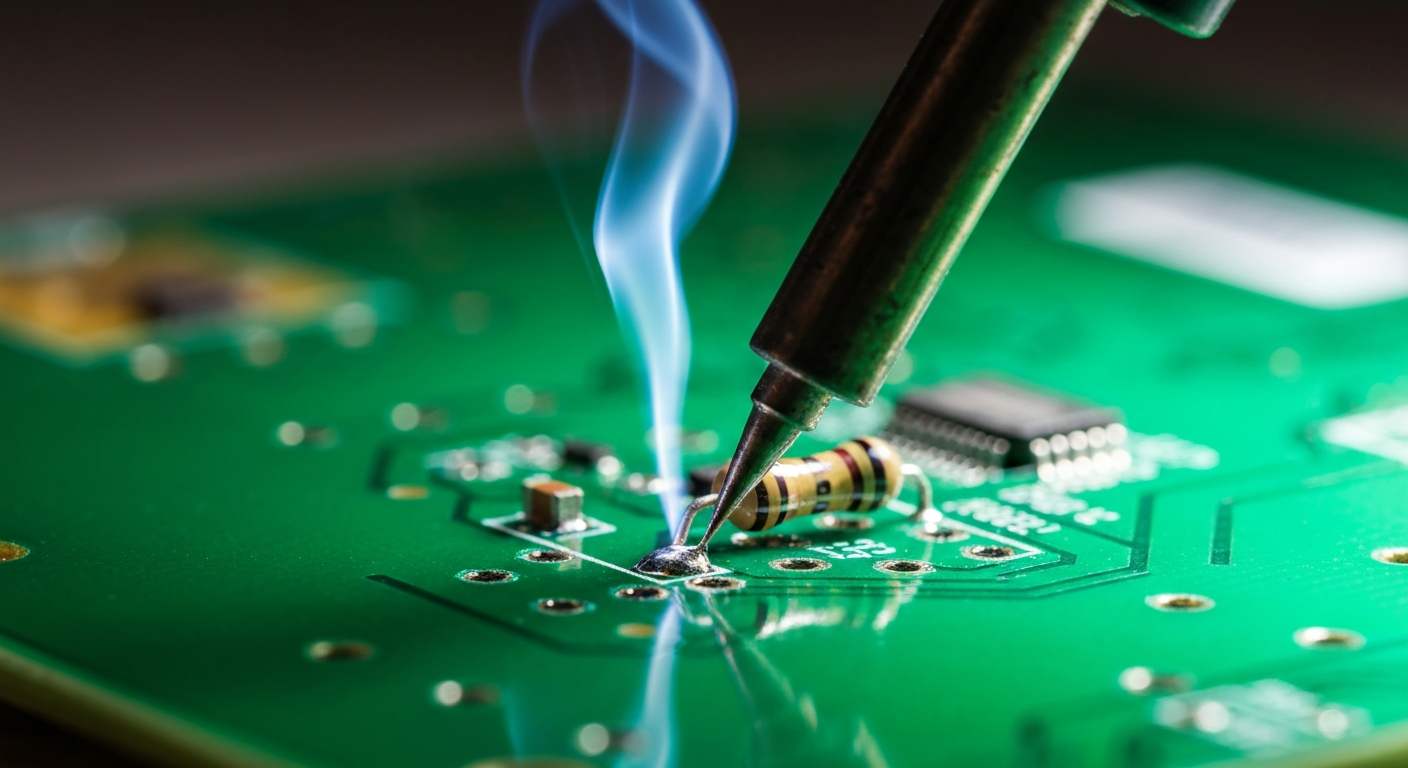
- The molten solder flows smoothly and “wets” both the pad and the lead, forming a concave, shiny joint.
- There’s a minimal amount of flux smoke, which dissipates quickly, and the flux doesn’t char instantly.
- There’s no visible damage to the component or PCB, and no excessive bubbling or discoloration of the board. If the solder looks dull, lumpy, or takes too long to melt, it’s too cold. If the flux burns instantly, the tip discolors rapidly, or the board/component shows signs of scorching, it’s too hot.
Q5: Does tip size affect temperature?
A5: Tip size doesn’t change the set temperature of your iron, but it profoundly affects the effective temperature and heat delivery to the joint. A larger tip has more thermal mass itself and a larger contact area, allowing it to transfer heat more efficiently and overcome the thermal mass of the joint. A smaller tip, while great for precision, has less thermal capacity and can lose heat rapidly when touching a larger joint, making it effectively too cold even if the iron’s setting is high. Always match your tip size to the component and pad size.
Q6: What’s flux and why is it important with temperature?
A6: Flux is a chemical agent that cleans the metal surfaces (component lead and PCB pad) by removing oxides, allowing the molten solder to flow and bond properly. It also prevents re-oxidation during the soldering process. Flux is crucial because solder won’t stick to dirty or oxidized surfaces. Temperature is important because flux has an activation temperature – it needs to be heated to work. However, if the temperature is too high, the flux will burn off too quickly, losing its cleaning properties before the solder can properly flow, leading to poor joints. The right temperature ensures the flux works effectively for the optimal duration.
Q7: Should I adjust temperature for different board materials?
A7: Generally, you won’t need to adjust your temperature significantly for different common PCB substrate materials (like FR-4 fiberglass). The primary factor influencing heat requirements from the board itself is the amount of copper (thermal mass) in the pads and traces, especially large ground planes. While different materials have slightly different thermal conductivities, the effect is usually secondary to the copper’s heat-sinking capabilities. Focus on the thermal mass of the copper and components, rather than the substrate material, when adjusting temperature.
Q8: How often should I clean my tip?
A8: You should clean your soldering iron tip constantly. This means:
- Before and after each solder joint.
- Anytime you notice oxidation or debris building up.
- Before putting your iron back into its stand for a break or when you’re done soldering. Frequent cleaning with a brass wire sponge (preferred) or a damp cellulose sponge is crucial for maintaining proper heat transfer, preventing oxidation, and extending tip life. Always re-tin the tip immediately after cleaning.
Conclusion
Mastering soldering iron temperature settings is a journey, not a destination. It requires observation, practice, and a willingness to adjust. By understanding why temperature matters and using this cheat sheet as your guide, you’ll be well on your way to creating professional-looking, reliable solder joints for all your electronics projects. Remember the Goldilocks principle: not too hot, not too cold, but just right. Happy soldering!